

Easy Button & Menu Maker is actually a bundle including two tools. One of them allows you to create interactive buttons, while another lets you design dynamic menus for your website. Luckily, this is a WYSIWYG editor, so you do not need to preview the objects in order to see what they will look like.
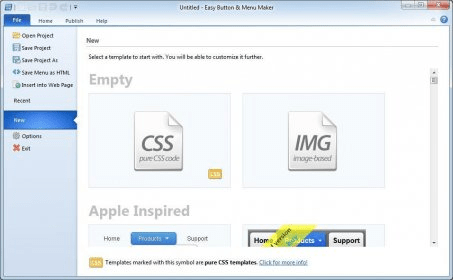
Creating buttons and menus is quite easy as the application provides a great deal of templates. In fact, there are so many of them and they look so fine that it will probably take you a while to pick your favorite one. Some of these templates have been designed to match the appearance of such operating systems as Windows and Mac. What is more, if you have sound design skills, the program also allows you to create these elements from scratch, which is, of course, more difficult yet more personalized. In this respect, you can create as many menu levels as necessary. Besides, you can change properties like spacing, padding, and colors.
From the technical point of view, it is a good thing that the application supports creating CSS-only menus, which will work even when your browser´s JavaScript is turned off. Besides, it supports creating old-style image-based menus. Moreover, it can create a code to comply with most web browsers, including HTLM5. Another advantage of the menus created with this application is that they can be processed by search engines successfully.
In general, Easy Button & Menu Maker is an excellent application that can create good-looking yet lightweight menus for your webpages.






Comments